
How to Upload Your Documents on FXGlobe
A Step-by-Step Guide
Welcome to Beyond! As you begin your journey with us, one of the first steps after creating your account is to upload your documents.
This process is essential for verifying your identity (known as KYC – Know Your Customer) and gaining full access to all the features, including the Partner Dashboard.
Here’s how you can smoothly complete this process
Once you have an account, you’ll start at Level 0.
In this initial stage, you’ll find three informative videos in your Members Area that guide you on uploading your documents and outline the subsequent steps.
These videos are designed to make your onboarding process as straightforward as possible.
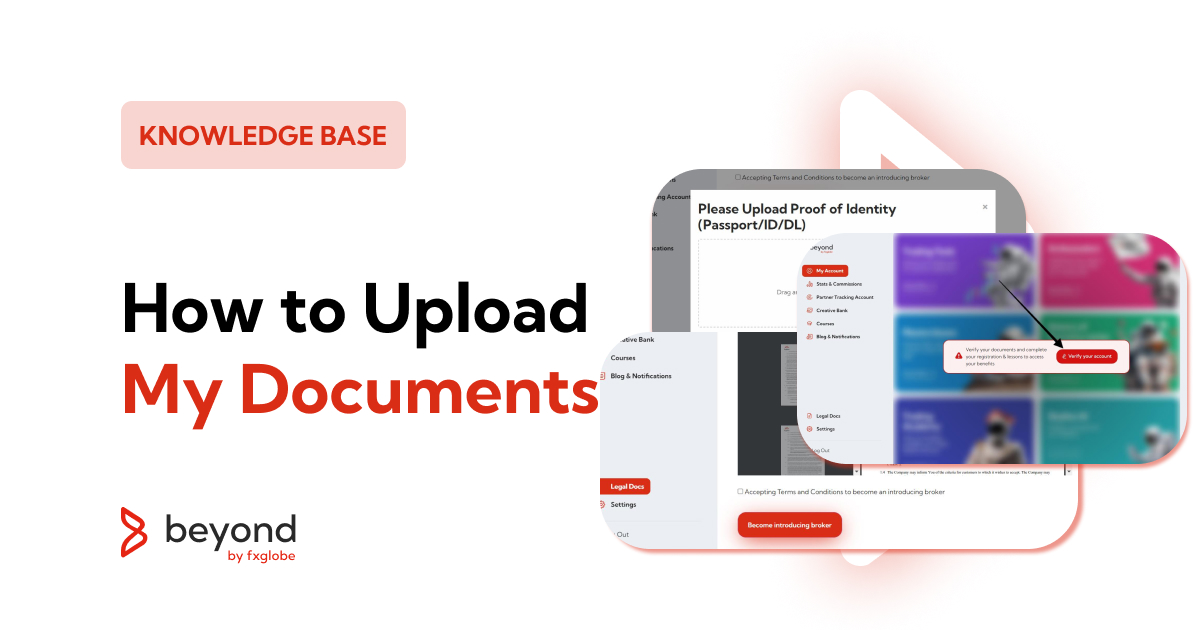
In your Members Area, you’ll notice a menu on the left side. Here, locate and click on ‘Legal Documents’.
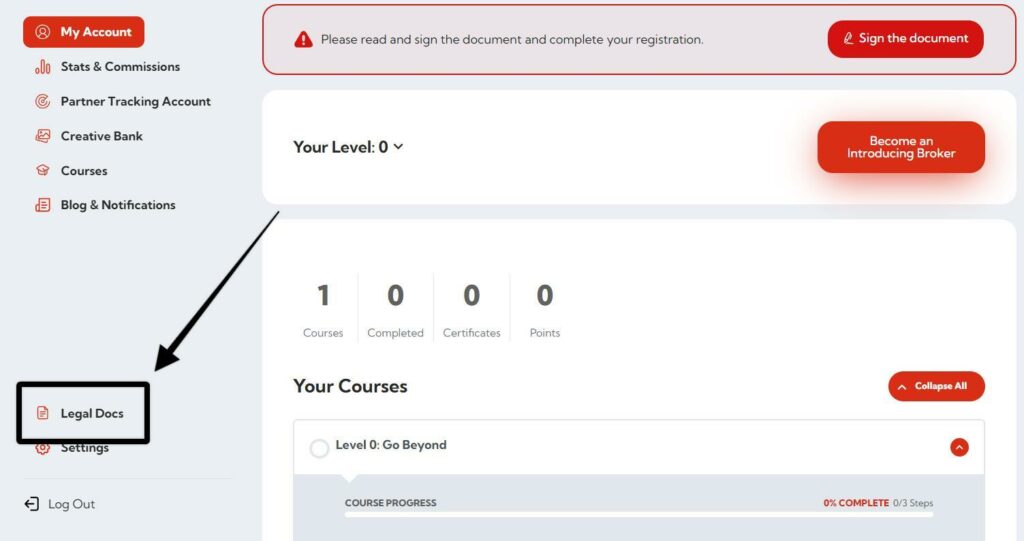
Alternatively, if you see any prompts or notices in the Members Area urging you to “Verify your documents and complete your registration”, clicking on these will also direct you to the Legal Documents page.
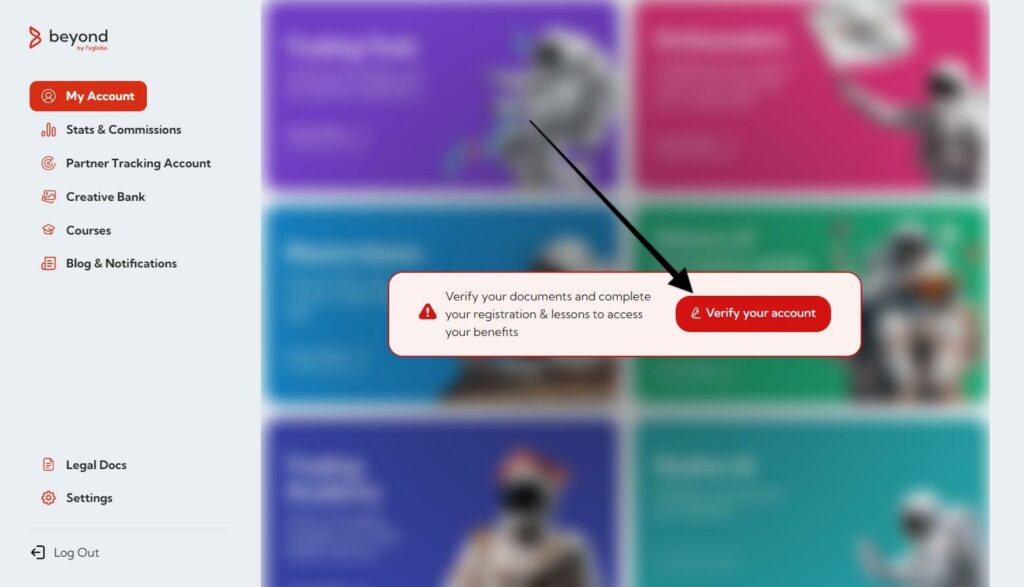
On the Legal Documents page, you will be presented with an option to read and accept our terms and conditions.
This is a crucial step, ensuring you understand the legal aspects of your partnership with FXGlobe.

The types of documents required include Proof of Identity (like a Passport, ID card, or Driver’s License) and Proof of Address.
To upload these documents:
Click on the ‘Upload’ button.
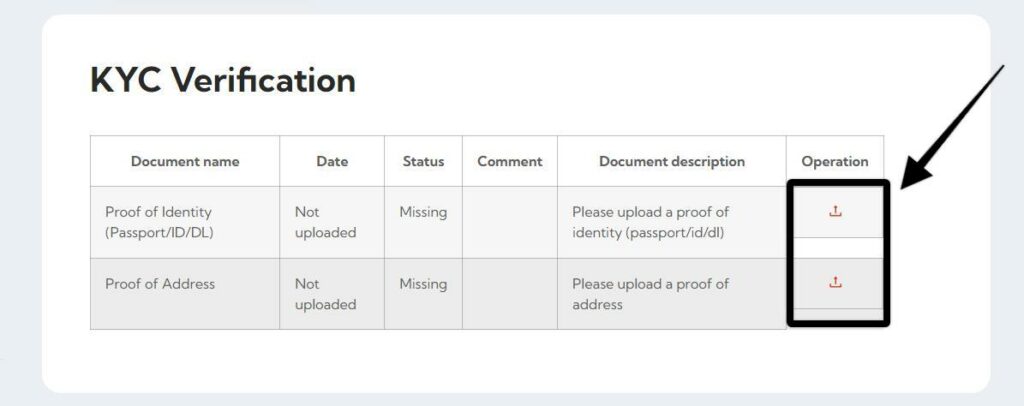
A window will appear where you can either drag and drop the files or click ‘Select Files’ to choose the files from your computer.
We support various formats for your convenience, including jpg, jpeg, png, and pdf.
Once you’ve uploaded your documents, you have successfully completed a vital part of your account setup.
Remember, KYC verification is mandatory for all partners and traders.
Completing this process activates your partner account and unlocks access to the Partner Dashboard – your central hub for referrals, marketing materials, and much more.
Ready to Start ?
With these steps, you’re all set to complete your document upload.
This process not only complies with regulatory requirements but also secures your account and ensures a smooth partnership experience.
If you encounter any issues or have questions, our support team is readily available to assist you.